Digital business cards have quietly replaced the paper rectangle that sat in wallets for more than 150 years. If you’ve been to a trade show at the NEC, a networking breakfast in Leeds, or a client site visit anywhere in the country over the past twelve months, you’ve probably seen someone tap a card against a phone instead of handing over a traditional paper business card.
This is the long version of that story. It covers what a digital business card actually is, the technology inside it, what it costs in the UK, how it compares with paper on real numbers, what the law expects of you, how to roll it out across a team of fifty without chaos, and what to do when it does not work. It is written for buyers — founders, office managers, sales directors, marketing managers, tradespeople and consultants — not for engineers. Where there is a number, it is a UK number.
Contents
- What a digital business card actually is
- Why UK professionals switched
- How the technology works
- The five types of card and who each suits
- Digital business cards UK pricing in full
- The real cost comparison against paper
- How to choose a provider
- Setting up your profile properly
- Rolling out to a team
- GDPR, PECR and UK data law
- Turning taps into pipeline
- Industry-by-industry use cases
- Trade shows and events playbook
- Materials, print and design
- Troubleshooting
- Security and privacy
- Ten mistakes to avoid
- Glossary
- Frequently asked questions
What a digital business card actually is
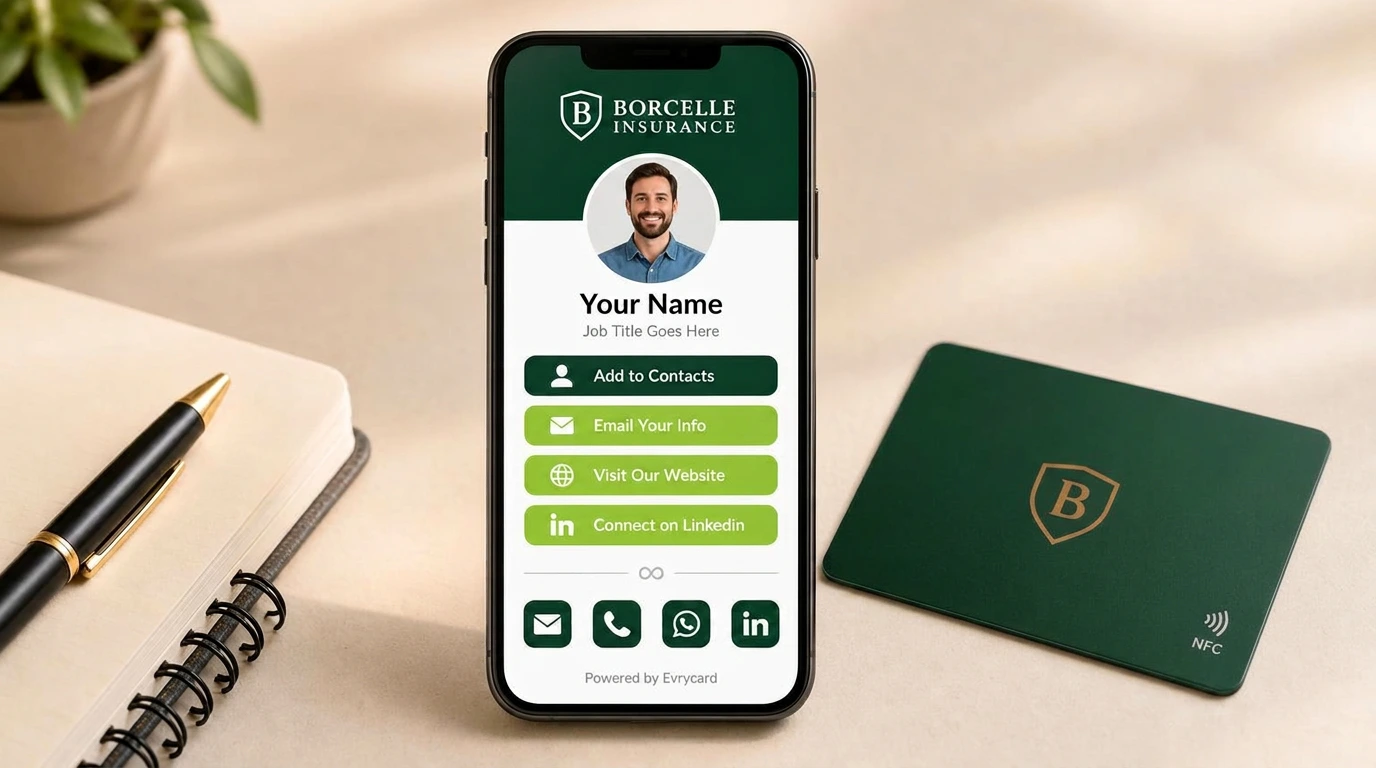
A digital business card is a web-based contact profile — your name, role, company, phone, email, website, social links, calendar booking link, payment link, portfolio, whatever you need — that lives at a permanent URL and can be shared instantly by NFC tap, QR scan or plain link.
The recipient does not install anything. They see a web page, press “Save contact”, and your details land in their phone’s address book as a proper vCard entry with your photo attached. That is the entire interaction, and it takes about four seconds.
Two parts make up the product, and it is worth separating them in your head because providers price them differently:
- The profile — the page itself. This is the software. It is editable forever, and it is what the recipient actually sees.
- The card — the physical object with the chip in it. This is a shortcut to the profile. You can have a profile with no card (share by link and QR), but most people want the card because the tap is what makes the moment memorable.
Understanding that split explains most of the pricing differences in the UK market. Some providers rent you the profile monthly and sell you the card cheaply. Others sell you the card once and give you the profile permanently. That difference is worth hundreds of pounds a year to a team, and we come back to it in detail below.
Why UK professionals switched
Digital cards were tried in 2013 and failed. They work now for four specific reasons, and it is worth knowing them because they tell you whether the trend has legs.
Every phone can read them
Background NFC reading arrived on iPhone with the XS and XR in 2018 and shipped in iOS 13 for older handsets via Control Centre. Android has read tags natively for over a decade. In practice, in 2026, the odds of meeting a UK professional whose phone cannot read your card are very close to zero — and the QR fallback covers the rest.
Details change constantly
Hybrid working broke the assumption that contact details are stable. Offices moved or vanished, direct dials became mobiles, job titles changed with restructures. A printed card is often wrong within six months. A profile is never wrong, because you edit it in ten seconds and everyone who has ever received your card sees the update.
The cost of print crept up
Paper, ink and delivery all rose sharply between 2021 and 2024. A decent 400gsm card with spot UV, ordered in small runs, is no longer a trivial line item — and small runs are exactly what you order when your team changes every quarter.
Buyers ask for the data
The thing paper never did was tell you whether it worked. A digital card records taps, profile views and contact saves. For the first time you can answer “did the exhibition generate anything?” with a number rather than a feeling.
How the technology works
There is no magic here, and knowing the mechanics helps you buy well and troubleshoot fast.
NFC in one paragraph
Near Field Communication is short-range radio at 13.56 MHz, the same standard family behind contactless payments and Oyster cards (see our NFC business cards UK guide for full hardware specifications). The card contains a passive chip and a coiled antenna — no battery. When you hold it near a phone, the phone’s own field powers the chip for a few milliseconds, the chip transmits a small block of data, and the phone acts on it. Range is roughly 1–4 cm by design, which is a security feature rather than a limitation.
What is stored on the chip
Almost nothing: an NDEF record containing a short URL. That is the whole payload. Your contact details are not on the card — they are on the profile the URL points to. This is why you can change your job title without reprinting: the URL never changes, only the page behind it.
The chips used are typically the NXP NTAG family — NTAG213 (144 bytes of user memory) for standard cards, NTAG215 (504 bytes) where more capacity is needed. Both are rated for around 10 years of data retention and 100,000 write cycles, which in practice means the card outlives the job.
Locked versus unlocked chips
This matters and almost nobody explains it. A chip can be write-protected so the URL cannot be overwritten, or left open so anybody with a phone and a free NFC app can rewrite it. Locked is safer against tampering; unlocked means you can repurpose the card yourself later. Ask which you are buying. A reputable supplier will tell you and will offer to lock on request.
QR codes
Every profile also has a QR code, and it does more work than people expect. It handles the older handset, the presentation slide at the end of a webinar, the poster at reception, the van livery, the exhibition stand banner, and the printed leaflet. Native camera apps on iOS and Android read QR codes without extra software, which they did not reliably do until iOS 11.
Link sharing
The profile URL drops into an email signature, a WhatsApp message, a LinkedIn DM, a Teams chat or a Zoom chat window. For most desk-based professionals this quietly becomes the highest-volume sharing method — more shares than the physical card ever gets.
The five types of card and who each suits
The category has specialised. Choosing the wrong type is the most common buying error.
| Type | What it does | Best for |
|---|---|---|
| Standard NFC card | Opens your full contact profile | Anyone who networks — the default choice |
| Social card | Jumps straight to Instagram, TikTok or a link hub | Creators, hospitality, retail counters, market stalls |
| Review card | Opens your Google review form in one tap | Trades, salons, restaurants, clinics, garages |
| Team card | Individual profiles managed under one admin account | Sales teams, agencies, multi-site businesses |
| NFC stand / tag | Desk or counter unit customers tap themselves | Receptions, tables, tills, exhibition stands |
A common and sensible combination for a small business: standard cards for the client-facing staff, a review card on the counter, and an NFC stand at reception.
Digital Business Cards UK pricing in full
UK pricing splits into two models, and this is the single most important thing to check before you buy anything.
Subscription model
Most international platforms charge per user per month — commonly £4–£10. The card is cheap or free because the card is the razor and the profile is the blade. Stop paying and the profile goes dark, which means every card you have ever handed out becomes a dead link. For a ten-person team at £6 a month that is £720 a year, every year, with no end date.
One-off model
You buy the card once, the profile stays live, and there is no recurring charge. This is how Evrycard pricing works. The commercial logic is simpler and the total cost of ownership over three years is dramatically lower, which is usually the deciding factor for teams.
Evrycard product pricing
| Product | Price | What you get | Best for |
|---|---|---|---|
| Basic NFC card | £24.99 | PVC card, standard design, full profile | Individuals, first-time buyers |
| Pro NFC card | £39.99 | Custom print, your logo, full branding both sides | Businesses that care about brand |
| Metal NFC card | from £69.99 | Brushed or matte metal, engraved or printed | Directors, premium client-facing roles |
| Social card | from £24.99 | Direct-to-social routing | Creators, hospitality, retail |
| Review card | from £24.99 | One-tap Google review link | Trades and local services |
UK delivery is £3.49. Volume pricing steps down in tiers from 3–9 cards through to 500+, so a department order costs meaningfully less per unit than five separate individual orders. If you are buying for a team, ask for the tier breakdown before you place the order — it changes the arithmetic considerably.
What should be included and often is not
- Unlimited profile edits — should never be a paid extra.
- A proper vCard download, not just a “copy details” button.
- QR code generation in print resolution, so you can put it on signage.
- Lead capture form with export.
- Basic analytics: taps, views, saves.
- A custom or clean profile URL, not a random string.
If any of those sit behind an upgrade, factor it into your comparison.
The real cost comparison against paper
Take a realistic ten-person UK sales team over three years.
| Paper cards | Subscription digital | Evrycard (one-off) | |
|---|---|---|---|
| Initial outlay | £250 (10 × 500 cards) | £100 cards | £399.90 (10 Pro cards) |
| Reprints / renewals, year 1 | £150 (staff changes) | £720 subscription | £0 |
| Year 2 | £250 | £720 | £0 |
| Year 3 | £250 | £720 | £0 |
| Three-year total | £900 | £2,260 | £399.90 |
| Lead data captured | None | Yes | Yes |
| Details ever out of date | Constantly | Never | Never |
The numbers are illustrative and your print costs will differ, but the shape holds: one-off digital is cheaper than paper by year one and dramatically cheaper than subscription digital by year two. Add the softer benefit — leads that get followed up because they were captured digitally rather than lost in a jacket pocket — and the case is straightforward.
How to choose a provider
Adoption fails for boring reasons, so this checklist is deliberately unglamorous.
- No app required for the recipient. If the person receiving your details must install something, you have lost most of them. Test this before buying: send yourself the profile from a phone that has never seen the platform.
- Editable after printing. The card must point at a profile you control, so a job title change never means a reprint.
- Real vCard export. Details must land in the address book, complete with photo and company, not sit in a browser tab that gets closed.
- UK-based fulfilment. Overseas printing means two-week lead times, customs charges on reorders and no realistic route to fix a print error.
- Data ownership and export. You should be able to download every lead you capture, in CSV, without asking. If the platform holds your data hostage, walk away.
- Analytics. Taps, views and saves. Without them you cannot tell whether a team rollout worked.
- Profile uptime. Your card is only as good as the page behind it. Ask what happens if the company ceases trading — a good answer involves being able to redirect your URL.
- Chip quality. NTAG213 or better, ideally with the option to lock.
- Support you can reach. A phone number and a UK time zone beat a chatbot when a card fails the morning of a conference.
Setting up your profile properly
Most profiles are set up in five minutes and left mediocre forever. Twenty minutes of care makes a measurable difference to save rates.
The photo
Use a real headshot, cropped tight, well lit, plain background, eyes to camera. Not a logo — people save people. Not a group photo. Not a selfie from a wedding. This is the single largest driver of whether somebody presses save.
The name line and title
Write the title the way a stranger would search for you, not the way HR writes it. “Commercial Insurance Broker” beats “Senior Client Partner, Div. 2”. If you serve a geography, put it in: “Electrician — Manchester & Cheshire”.
Button order
The first button should be the action you most want. For most people that is “Save contact”. For a trades business it is often “Call now”. For a consultant it is frequently “Book 15 minutes”. Do not lead with Instagram unless Instagram is the business.
Keep it to one screen where possible
Six buttons is plenty. Twelve is a menu, and menus cause hesitation. Everything else can live behind a “More” link or on your website.
The bio
Two lines, plain English, what you do and who for. “I help UK manufacturers cut energy costs” outperforms a paragraph of positioning language every time.
Test on a real phone
Open your own profile on an iPhone and an Android, in daylight, over 4G rather than office wifi. Press every button. Save the contact and check what actually appeared in the address book. Roughly one profile in three has a broken link the owner has never noticed.
Rolling out to a team
Rolling out digital business cards for teams is straightforward for ten people, but a hundred-person rollout goes wrong unless somebody owns it. Here is the sequence that works.
- Pick an owner. One person, usually in marketing or operations, holds the admin account and the design template.
- Lock the template first. Agree the card design, colours, logo placement and the profile layout before a single card is ordered. Changing it after 100 cards are printed is expensive.
- Collect data once, properly. One spreadsheet: name, job title as it should appear, mobile, email, LinkedIn, photo file. Chasing missing headshots is 80% of the delay in every rollout.
- Pilot with 5–10 people. Ideally your most active networkers. Run it for three weeks and collect complaints.
- Fix the template, then order in volume. Use the tier pricing.
- Run a 20-minute training session. Show the tap, show the QR, show how to add the link to an email signature, show where the leads appear. Adoption problems are almost always training problems.
- Update email signatures the same week. This is the highest-volume sharing channel and it is free.
- Review analytics at 30 and 90 days. Identify who has never had a tap and find out why.
- Build it into onboarding and offboarding. New starter gets a card in week one; leaver’s profile gets redirected, not deleted, so their old cards do not 404.
GDPR, PECR and UK data law
Handing someone your own details is not personal data processing on your part — you are the data subject and you are consenting by handing it over. The obligation starts the moment you collect details back, which is exactly what the lead capture form on a digital card does.
Have a lawful basis
For B2B networking, legitimate interests is usually the right basis, but you must be able to articulate it and ideally document it. The ICO’s guide to lawful basis is the reference to keep on file, and a one-page legitimate interests assessment is enough for most SMEs.
Be transparent at the point of capture
A single line under the form — who you are, what you will do with the details, and a link to your privacy notice — satisfies the transparency requirement for a networking context. Do not bury it.
Marketing is governed separately
Adding a scanned contact to a marketing mailing list engages PECR as well as UK GDPR. Corporate subscribers (limited companies, LLPs) are treated differently from sole traders and partnerships, who get consumer-level protection. Guidance from the ICO and Ofcom both apply. In practice: a relevant one-to-one follow-up email after meeting someone is fine; dumping them into a weekly newsletter without a word is not.
Retention and deletion
Decide how long you keep lead data and write it down. “Twenty-four months from last contact” is a defensible default for B2B. Make sure your provider lets you delete records, not just hide them.
Where the data lives
Ask where the profile and lead data are hosted. UK or EU hosting is simpler to justify in a supplier questionnaire than a US-only platform, especially if you sell into the public sector.
Turning taps into pipeline
A card that ends at a saved contact is a missed opportunity. The valuable workflow is capture → CRM → follow-up.
- Prospect taps and your profile opens.
- They press “Exchange details” and submit name, email and company.
- The submission lands in your dashboard with a timestamp and source.
- You export or forward it into HubSpot, Pipedrive, Salesforce or a spreadsheet, tagged by event.
- A personal follow-up goes out within 24 hours, referencing the actual conversation.
Even without automation, a Friday CSV export beats a shoebox of paper cards nobody types up. Teams that measure it commonly find follow-up rates roughly double once the manual transcription step disappears — not because salespeople got better, but because the friction that killed 60% of follow-ups is gone.
A simple attribution trick
Use a separate profile, or a tagged version of your link, per major event. “Which of our four exhibitions actually produced pipeline?” becomes answerable, and next year’s marketing budget writes itself.
Industry-by-industry use cases
Trades and construction
Dirty hands, no pockets, and a customer standing in a hallway. A card in the van and a review card left after the job. The single highest-value tap for a trade is the Google review link — local ranking is driven by review volume and recency, and asking at the moment of completion converts far better than a text three days later.
Estate agents and property
NFC tags on window displays and For Sale boards let passers-by pull the listing at 9pm on a Sunday. Agents’ individual cards carry the booking link for viewings.
Recruitment
High volume, high churn, details change monthly. The profile keeps working when a consultant switches desks, and the lead form doubles as a candidate capture point at careers fairs.
Hospitality and retail
Counter stands for reviews and loyalty signup, social cards for the venue’s Instagram, table tags for menus. The tap replaces a printed menu that goes out of date every time a supplier price moves.
Healthcare and clinics
Practitioner cards with booking links, plus a reception tag for feedback. Keep clinical data well away from the profile — it is a public web page.
Consultants and professional services
The booking link is the whole point. “Book 15 minutes” as the primary button converts materially better than “email me”, because it removes the drafting step that makes people procrastinate.
Events and exhibitions businesses
Per-stand tags, per-campaign profiles, and lead export at the end of each day rather than a badge scanner rental at £300 a show.
Trade shows and events playbook
This is where the cards earn their money. Field-tested tactics:
- Put a large QR on the stand at eye level. It captures the passers-by who will not stop to talk, which is most of them.
- Give every stand member their own card. Shared cards create bottlenecks and destroy attribution.
- Use a per-event profile or tag. Clean analytics, clean follow-up lists.
- Practise the tap. iPhone’s NFC antenna is at the very top of the handset; most Androids read from the centre-rear. Ten seconds of practice avoids fumbling in front of a prospect.
- Lead with a booking link on the day. “Grab 15 minutes next week” beats “I’ll email you” because it closes something while you are stood there.
- Export leads nightly. Follow up before the competitor who waits until Monday.
- Have a paper backup. Twenty cards in a pocket for the one person whose phone is dead. Paper is now the fallback, not the primary — but the fallback still has a job.
Materials, print and design
Physical quality still matters, because the card is the first impression before the profile loads.
PVC
The standard. Light, inexpensive, full-colour print, matte or gloss, entirely durable in a wallet. Suits almost everyone and prints reliably.
Metal
Stainless steel or aluminium, brushed or matte black, engraved or printed. Noticeably heavier in the hand and the reason people say “oh” when you hand it over. The NFC chip sits in a machined window because solid metal blocks the field — if a supplier cannot explain how they solve that, be suspicious.
Wood and bamboo
Warm, tactile, and a natural fit for sustainability-led brands. Slightly thicker than PVC and best with laser-etched rather than printed artwork.
Design rules that hold up
- Keep the front nearly empty: logo, name, role. That is it.
- Put the tap prompt and the QR on the back.
- Avoid mirror finishes behind dark text — it becomes unreadable under exhibition lighting.
- Leave a 3mm bleed and keep critical elements 4mm inside the trim.
- Do not reproduce a full paper card’s information. Everything is already on the profile; the card’s only job is to be picked up and tapped.
- Include a two-word instruction the first year: “Tap here”. Adoption is high but not universal, and the prompt removes the pause.
Troubleshooting
| Symptom | Likely cause | Fix |
|---|---|---|
| Nothing happens on tap (iPhone) | Card held against the wrong part of the phone | Touch the very top edge of the handset, hold for 2 seconds |
| Nothing happens on tap (Android) | NFC disabled in settings | Settings → Connected devices → NFC, switch on |
| Works sometimes, not always | Thick case, or a metal card without a machined window | Remove case to test; if metal, check chip placement |
| Nothing on a locked screen | Some Androids require the screen unlocked | Unlock, then tap |
| Profile opens but is out of date | Browser cache | Pull to refresh; edits are usually live within seconds |
| Contact saves without a photo | vCard photo not set in the profile | Upload a headshot in profile settings |
| QR will not scan | Printed too small or too low contrast | Minimum 2 cm square, dark on light, quiet zone around it |
| Card near a payment card fails | Field interference from other cards in the wallet | Take the card out of the wallet to tap |
Security and privacy
The two questions people ask, answered plainly.
Can someone steal my data by tapping my card? No. The chip holds a URL and nothing else. There is no personal data on the card to take, and NFC’s 1–4 cm range means nobody is reading it across a room.
Can someone clone or overwrite my card? An unlocked chip can be rewritten by anyone with physical possession of it and a free app. This is a physical-security question, not a hacking one — the same as someone taking your wallet. If it concerns you, buy locked chips.
Two sensible habits: keep genuinely sensitive information off a public profile (it is a web page, indexable unless you say otherwise), and if you lose a card, change the profile it points at rather than panicking — you control the destination.
Ten mistakes to avoid
- Printing the URL as the main call to action. Nobody types URLs. Lead with the tap and the QR.
- Putting a logo where a headshot should be. People save people.
- Twelve buttons. Choice creates hesitation; pick the six that matter.
- Locking the profile behind a login. Every extra step loses recipients.
- Forgetting the email signature. Most of your sharing happens digitally.
- Buying one card to “try it” for a ten-person team. Adoption is cultural; a single card never proves anything.
- Ignoring analytics for a month. If taps are near zero, it is a training problem, not a technology problem.
- Signing up to a subscription without modelling three years. Do the arithmetic before, not after.
- Never testing on a real phone over mobile data. Office wifi hides slow-loading profiles.
- Deleting a leaver’s profile. Redirect it. Their old cards are still out there.
Glossary
- NFC — Near Field Communication. Short-range 13.56 MHz radio used for taps.
- NDEF — the data format written to the chip; for a business card it holds a URL record.
- NTAG213 / NTAG215 — the common NXP chips, differing mainly in memory size.
- vCard — the standard contact file format phones import into the address book.
- Passive tag — a chip with no battery, powered by the reading phone.
- Write-protect / lock — permanently preventing the chip’s data being overwritten.
- PECR — the UK’s Privacy and Electronic Communications Regulations, which govern marketing messages alongside UK GDPR.
- Lead capture — a form on your profile that collects the other person’s details.
Frequently asked questions
Do digital business cards work without an app?
Yes. The recipient only needs a phone with a browser. NFC tags open the profile from the lock screen on iPhone and Android, and QR codes are read by the native camera app. Neither party needs to install anything.
How much do digital business cards cost in the UK?
Expect £24.99 for an entry-level NFC card, around £39.99 for a fully branded Pro card and from £69.99 for metal. Evrycard charges no monthly subscription, so the profile stays live after the one-off purchase. UK delivery is £3.49 and volume tiers start at three cards.
Can I update my details after the card is printed?
Yes. The card stores a fixed link to your profile, and the profile content is editable at any time. Changing your job title, mobile number or photo takes effect instantly for everyone who already has your card.
Are digital business cards GDPR compliant?
Sharing your own details raises no issue. If you collect details back through a form you need a lawful basis (usually legitimate interests for B2B), a short transparency notice at the point of capture, a retention period, and separate consideration of PECR before adding anyone to marketing lists.
Do they work on iPhone?
Yes, on every iPhone from the XR and XS onwards with background NFC reading — no app, no settings change. Older iPhones on iOS 11–13 can read tags via the Control Centre NFC widget, and the QR code works on any handset made in the last decade.
Do they work on Android?
Yes, on virtually every Android handset with NFC hardware, which is most devices above entry level. NFC must be switched on in settings; on some models the screen must also be unlocked.
What happens if I lose the card?
Nothing sensitive is on it — only a URL. Order a replacement, and if you are concerned, change what the profile shows. You control the destination page at all times.
Can a whole team use them?
Yes. Each person gets their own profile and card under a shared admin account, with volume pricing from three cards up to 500 or more. Most teams appoint one owner for the template and the analytics.
Do metal cards block the signal?
Solid metal would, which is why properly made metal NFC cards have the chip mounted in a machined window or a non-metallic inlay. A good metal card reads exactly as reliably as PVC.
Will a digital card replace paper entirely?
For most UK professionals in 2026 paper has become the backup rather than the primary. Keeping twenty printed cards for flat batteries and older contacts is sensible; printing five hundred is not.
Can I use one card for two businesses?
You can point one card at a profile that links to both, but two profiles and two cards give far cleaner analytics and a much better first impression. If the two businesses serve different audiences, keep them separate.
How long does the chip last?
NTAG chips are rated for around ten years of data retention and 100,000 write cycles. In everyday use the card’s printed surface wears out long before the chip does.
Next steps
Start by writing down what you actually need the card to do — save contacts, capture leads, drive bookings, or gather Google reviews — because that determines the card type more than the material does. Then check which providers deliver that without a subscription, and model the three-year cost before you commit.
When you are ready, browse the current range of Evrycard NFC Business cards. You can also set up your digital profile first and order the physical card once the design is finalised.